TheaView

TheaView

A fast, native VNC & RDP client for macOS and iOS

Connect to any VNC or RDP server with hardware-accelerated rendering, SSH tunneling, clipboard sync, and file transfer. Built entirely in Swift for Mac, iPad, and iPhone.

macOS 14 Sonoma  ·  iOS 18  ·  iPadOS 18
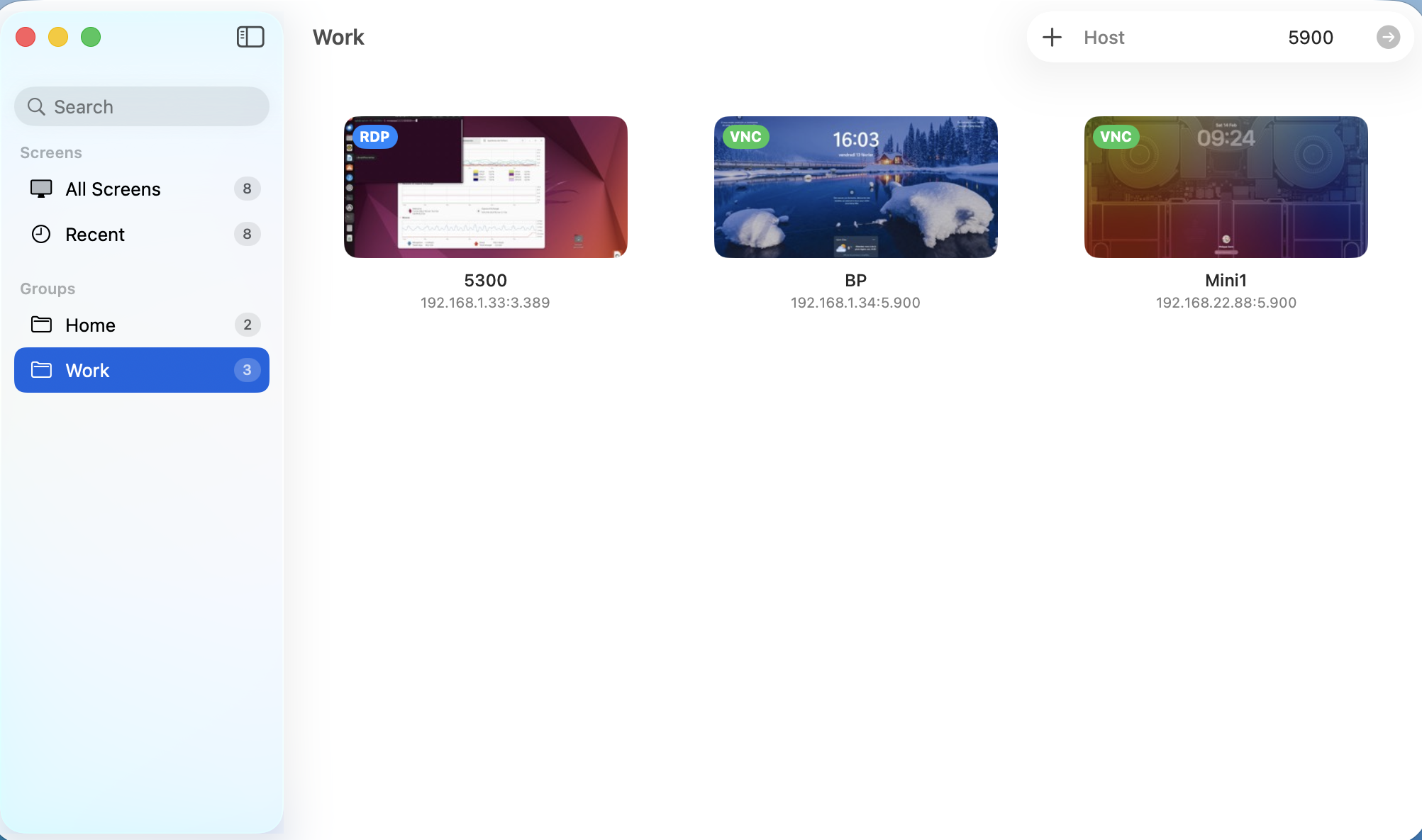
TheaView main window showing saved VNC and RDP connections

All your servers, one place

Organize VNC and RDP connections with groups, thumbnails, and live previews. Quick-connect to any host directly from the toolbar.

  • Sidebar with custom groups
  • Live thumbnails from last session
  • iCloud sync across all your Macs
  • Import & export connections
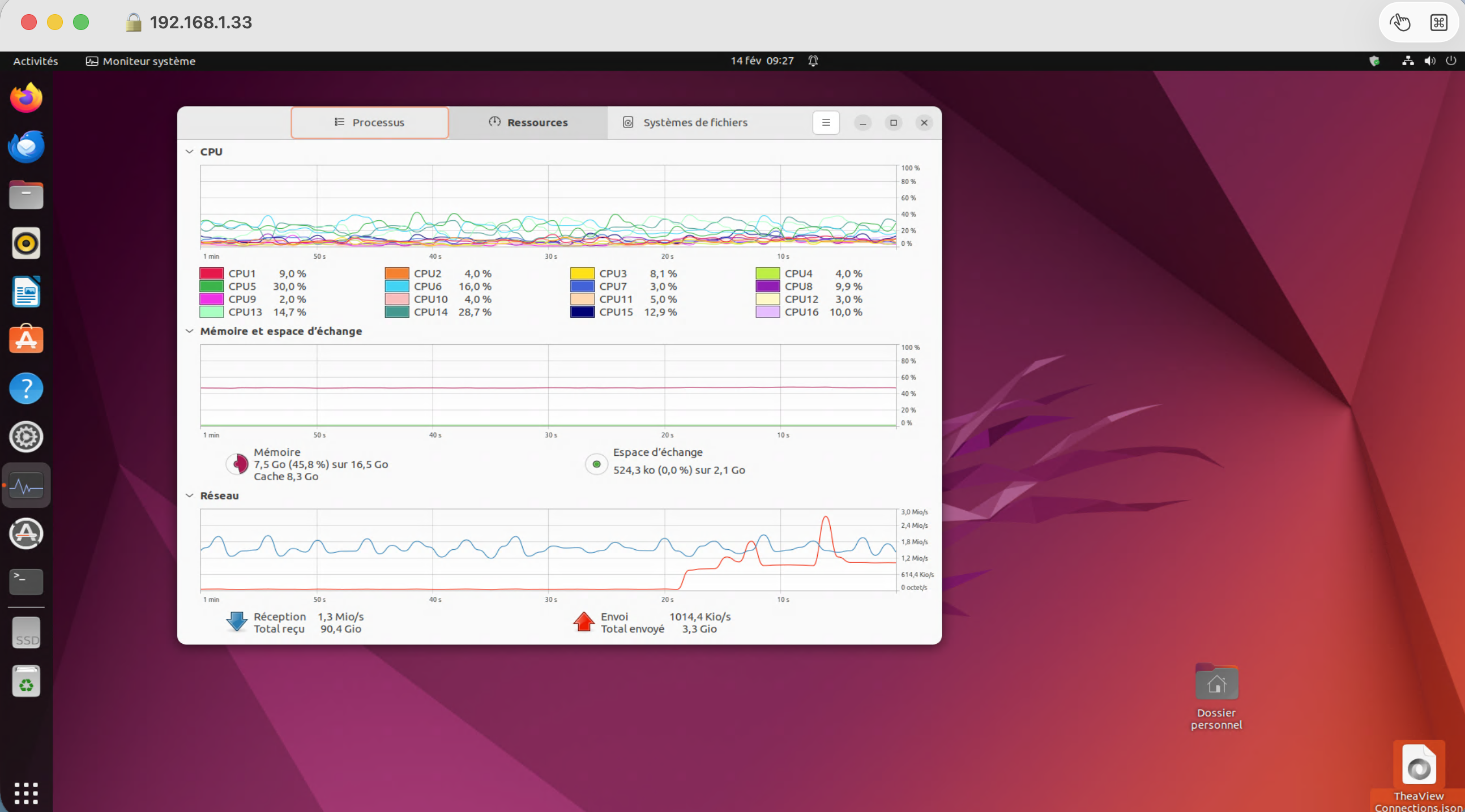
Active VNC session to a remote macOS desktop

Smooth VNC sessions

Hardware-accelerated rendering with IOSurface and CVDisplayLink vsync delivers a fluid remote desktop experience. Full keyboard and mouse forwarding, including macOS shortcuts.

  • Zero-copy pixel path to screen
  • Tight, ZRLE, TRLE, Hextile encodings
  • Bidirectional clipboard sync
  • Auto-reconnect on connection drop
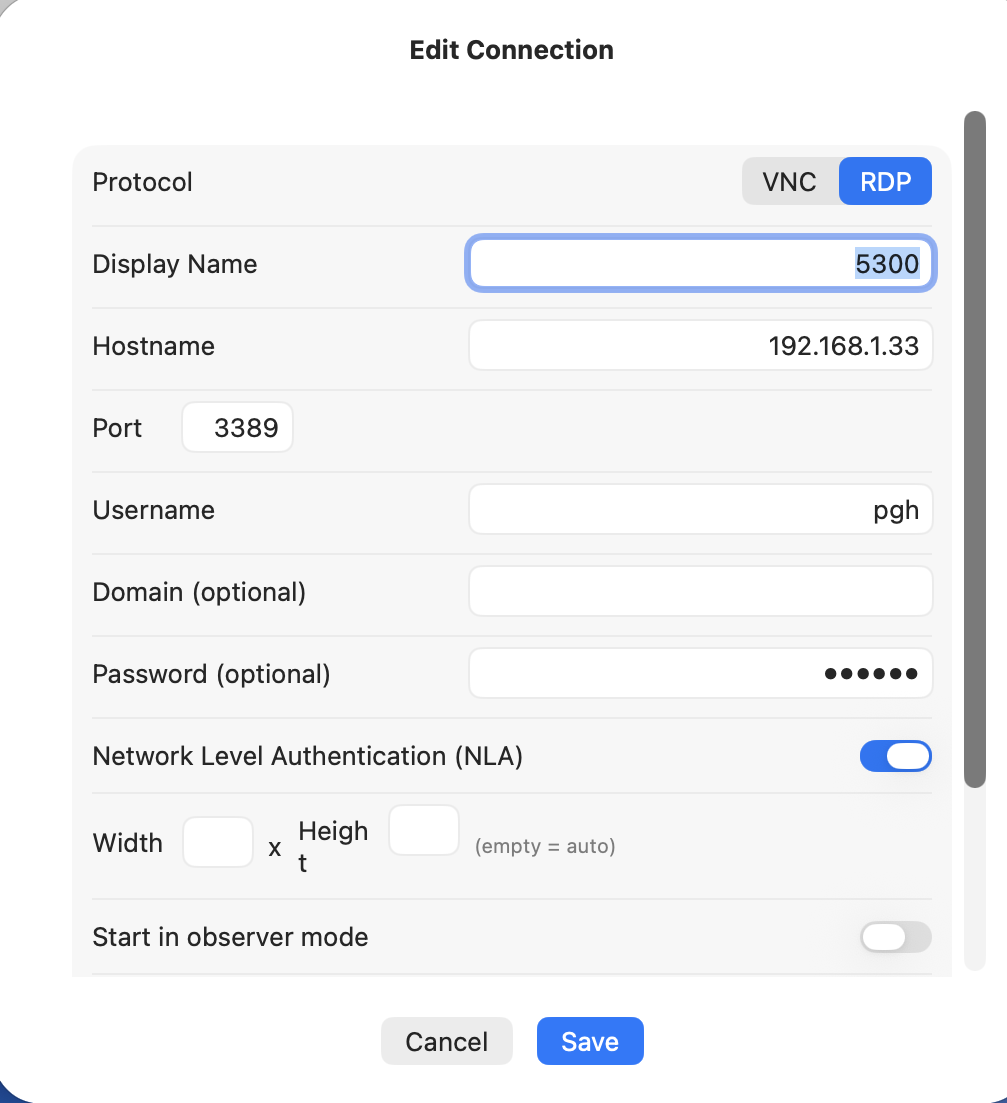
Connection dialog with VNC and RDP protocol selection

VNC & RDP in one app

Connect to Windows, Linux, and macOS via RDP powered by FreeRDP, or to any VNC server with full RFB 3.8 support. Configure each connection with its own protocol, credentials, and display settings.

  • RDP with NLA authentication
  • Bidirectional clipboard (text & files)
  • Drag & drop file transfer over RDP
  • SSH tunneling for VNC connections

Features

Everything you need for fast, secure remote desktop access.

⚡

Hardware-Accelerated Rendering

IOSurface-backed framebuffer with CVDisplayLink vsync. Progressive rendering shows partial updates as they arrive. Zero-copy pixel path from network to screen.

🔒

SSH Tunneling

Built-in SSH tunnel with Ed25519 key authentication. Generate, import, and manage SSH keys directly in the app. Keys sync via iCloud Keychain across your Macs.

🍏

Apple Remote Desktop

Native ARD authentication (security type 30) with Diffie-Hellman key exchange. Connects to macOS Screen Sharing out of the box, including keyboard shortcuts.

🖥

RDP (Remote Desktop Protocol)

Connect to Windows, Linux, and macOS via RDP powered by FreeRDP. Full support for NLA authentication, bidirectional clipboard, and drag & drop file transfer.

📱

iPhone & iPad App

The same VNC and RDP experience on iOS and iPadOS. Full keyboard support, touch gestures, and all the same encodings and security features. Coming soon.

👁

Observer Mode

View-only mode disables all mouse and keyboard input. Toggle at any time from the toolbar, or set it as the default for a connection.

📋

Clipboard Sync

Bidirectional clipboard sharing between your Mac and the remote server. Copy on one side, paste on the other. Works automatically in the background.

🔄

Auto-Reconnect

Automatic reconnection with exponential backoff when the connection drops. Recreates SSH tunnels transparently. Configurable max attempts.

🖱

Dynamic Resolution

Handles server-initiated desktop resizes, including multi-monitor setups via ExtendedDesktopSize. Window aspect ratio adjusts automatically.

☁️

iCloud Sync

Saved connections, passwords, and SSH keys sync across all your Macs via iCloud Keychain and CloudKit. Set up once, connect from anywhere.

🖱

Remote Cursor

Client-side cursor rendering with full alpha transparency. Supports both standard VNC cursors and macOS CursorWithAlpha for pixel-perfect display.

VNC Encodings

Broad encoding support for maximum compatibility and performance.

✓
Tight — JPEG & zlib compression
✓
ZRLE — zlib Run-Length Encoding
✓
TRLE — Tiled Run-Length Encoding
✓
Hextile — 16×16 tile-based
✓
CopyRect — scroll optimization
✓
Raw — universal fallback

Security

Multiple authentication methods and encrypted transports.

🔑

VeNCrypt + TLS

Encrypted connections with TLS. Supports X.509 certificates and self-signed servers for maximum flexibility.

🍏

Apple Remote Desktop

ARD authentication with Diffie-Hellman key exchange and AES-128 encrypted credentials. Native macOS Screen Sharing support.

🔐

SSH Tunnel

Ed25519 key-based SSH authentication. Generate keys in-app, no terminal needed. Full port forwarding via direct-tcpip.

🔒

VNC Authentication

Classic DES challenge-response authentication. Passwords stored securely in the macOS Keychain with optional iCloud sync.

Download

Try TheaView today via TestFlight.

macOS 14 Sonoma · iOS 18 · iPadOS 18 · Universal binary (Apple Silicon + Intel) on Mac.
Technical Details

Built from scratch in Swift with minimal native dependencies.

Platform macOS 14 Sonoma, iOS 18, iPadOS 18 or later
Framework SwiftUI with Swift concurrency (actors, async/await)
VNC Protocol RFB versions 3.3, 3.7, and 3.8 — pure Swift implementation
RDP Protocol Based on FreeRDP 3.x — NLA, clipboard, file transfer (CLIPRDR)
Rendering IOSurface + CVDisplayLink vsync, CGImage fallback
Networking Direct POSIX sockets for minimum latency, non-blocking connect with timeout
SSH Library Citadel (pure Swift, MIT license) over SwiftNIO
Compression System zlib via Apple Compression framework
Architecture Universal binary (Apple Silicon + Intel)